
Introduction
Business continuity depends increasingly on technology. A network outage, failed device, cloud-service problem, security incident, or unavailable application can interrupt operations within minutes. For organizations that rely on digital tools for communication, sales, finance, customer service, and administration, reliable IT is not simply a convenience. It is part of operational resilience.
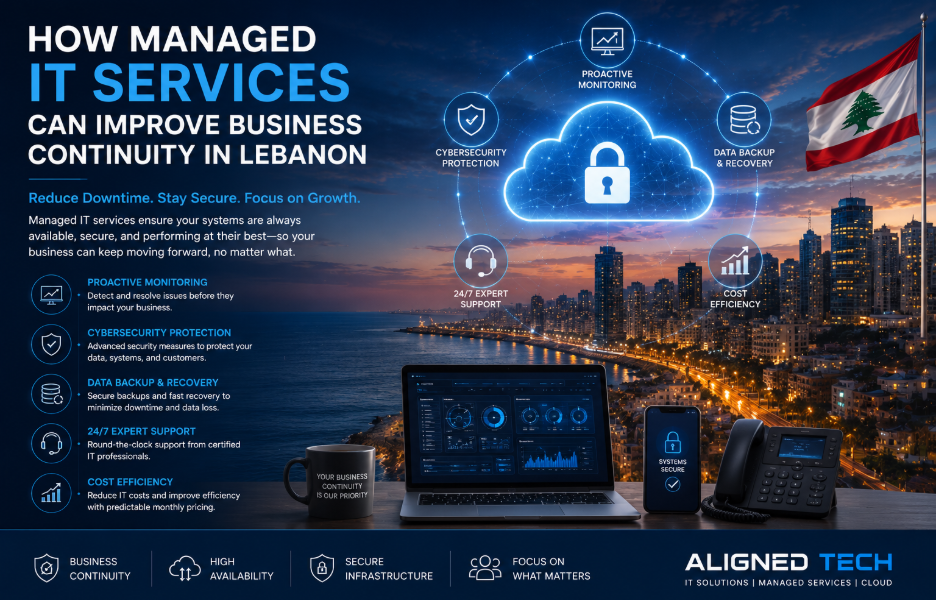
Managed IT services provide a structured approach to maintaining this environment. Rather than waiting for employees to report problems, managed services can include proactive monitoring, maintenance, patching, backup oversight, security management, user support, and strategic planning.
For Lebanese businesses, this model can help create more predictable technology operations while allowing internal teams to focus on core business activities.
What Managed IT Services Include
Managed IT services Lebanon organizations use can cover a wide range of responsibilities. Depending on the company’s needs, a provider may manage endpoints, servers, networks, cloud platforms, backup systems, security tools, software updates, and help-desk requests.
The important point is that managed support should be based on clearly defined responsibilities. Businesses should understand what is monitored, what is included in the service, how incidents are prioritized, and what happens when an issue requires specialized assistance.
Documentation is also essential. A reliable IT environment should have current information about devices, systems, accounts, applications, network architecture, backups, and important dependencies.
Proactive Monitoring and Maintenance
Monitoring allows technical teams to identify conditions that may lead to service disruption. Storage capacity, device health, connectivity, service availability, and unusual system behavior can all be monitored.
Maintenance activities such as patching and configuration reviews help reduce technical and security risks. Updates should be managed systematically rather than relying on employees to install them whenever convenient.
Proactive maintenance can also identify recurring problems. If the same device repeatedly fails or a business application frequently becomes unavailable, the provider can investigate the root cause rather than repeatedly applying temporary fixes.
Backup and Disaster Recovery
Backups are one of the most important components of business continuity, but simply having a backup system is not enough. Organizations need to know whether backups are completing successfully and whether the stored information can actually be restored.
A recovery strategy should define critical systems, recovery priorities, backup frequency, storage locations, and expected recovery times. Important data may require multiple copies and appropriate separation from production systems.
Recovery testing is equally important. Periodic restoration exercises can reveal configuration problems before a real incident occurs. Employees should also understand their responsibilities during a major disruption.
Cloud Management and Modern Workplaces
Cloud platforms have changed how businesses access applications and data. Employees may work from offices, homes, client locations, or other environments. This flexibility can improve productivity, but it also increases the importance of identity security and access management.
Organizations should review user permissions, multi-factor authentication, device security, backup, logging, and configuration. Cloud costs should also be monitored so that unused resources do not create unnecessary expenditure.
Businesses exploring Cloud AI solutions Lebanon can consider how cloud infrastructure and AI tools can support forecasting, reporting, document processing, customer service, and workflow automation. These technologies should be introduced with clear governance and security controls.
Cybersecurity and Business Continuity
Cybersecurity is closely connected to continuity. A ransomware incident or compromised account can stop operations just as effectively as a hardware failure.
Managed IT programs can integrate endpoint security, identity controls, vulnerability management, secure remote access, monitoring, and incident response. Employee awareness should also be considered because phishing and credential theft remain common entry points for attackers.
The objective is not to eliminate every possible risk. It is to reduce the likelihood and impact of incidents and to ensure that the organization can recover quickly when problems occur.
Measuring Service Performance
Businesses should measure the performance of their managed IT environment. Useful indicators include system availability, ticket response time, resolution time, backup success rates, patch compliance, recurring incidents, and security events.
Regular reporting gives management visibility into whether the service is improving reliability. It also helps identify areas where additional investment may be justified.
A good managed service should evolve with the organization. As new applications, employees, devices, and locations are added, the support model should be updated accordingly.
Conclusion
Managed IT services can provide Lebanese businesses with a proactive foundation for operational resilience. Monitoring, maintenance, backup, recovery, cloud administration, and cybersecurity work together to reduce technology-related disruption.
The strongest approach is based on clear responsibilities, measurable service levels, regular reviews, and a technology roadmap aligned with business goals. With consistent management and appropriate security controls, organizations can improve continuity while creating a more stable platform for future growth.


![[pii_email_07a63723810b70686330] (Problem Solved)](https://epaperplanes.com/wp-content/uploads/2022/05/normal-pi.jpg)